
Creative challenge funnel template
Creative brands collecting interest before confirming participation dates and rules.
Example brand: Field Notes Supply. Demo answers are not sent or saved.
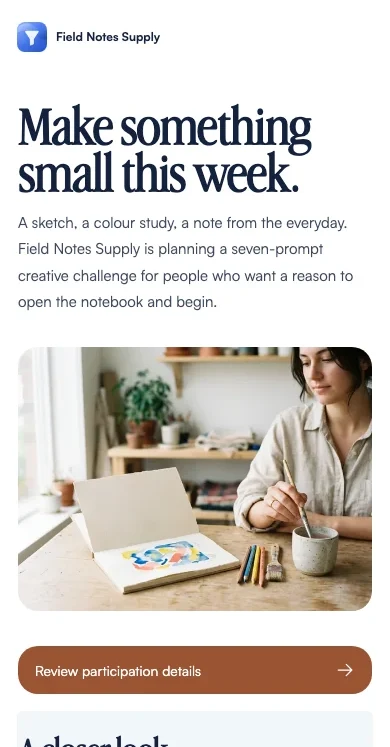
How this funnel works
Show the notebook challenge, ask what the visitor wants to make and invite interest without implying a prize draw.
- Start
- Your challenge
- Your details
- A sketchbook page · next step Confirmation
A playbook for this campaign
Creative challenge interest. A prompt to explore before deciding whether to enter.
When to use it
Campaign visitors who need to understand the specific offer before choosing a next step.
After the request
Publish the rules and send requested participation information.
Measure the next outcome
Track completed requests and the downstream outcome separately: participation confirmed. The demo records neither. A calendar or checkout click does not confirm the later action.
Prepare before launch
Actual rules, dates, eligibility, usage rights and any reward terms.
Different answers. Relevant next steps.
A sketchbook page
Explore the sketchbook-page prompt.
Choose a small observation or idea you would enjoy putting on paper. Keep your first draft while you review the participation outline.
Wait for confirmed dates, eligibility and submission rules before entering.
Try this in the live demo →A small color study
Explore the small colour-study prompt.
Choose a few colours and an everyday subject to explore. The creative prompt is an invitation to make something, not a prize promise.
The organiser must publish the actual participation terms.
Try this in the live demo →A useful desk idea
Explore the useful-desk-idea prompt.
Notice one small thing that could make your desk more useful, then sketch or describe a possible change.
An interest request is not an entry, and no reward is implied.
Try this in the live demo →Launch this campaign, step by step
- Replace the fictional brand and review the offer
- Actual rules, dates, eligibility, usage rights and any reward terms
- Test every answer path and the default result
- Submit a test request and verify its contact record
- Connect and test the intended follow-up; confirm downstream outcomes separately
Message drafts are included for acknowledgement, useful preparation and a manual check-in. Review their copy and connect the appropriate sending channel before using them. These examples do not send messages.
Make it fit your business
Replace Field Notes Supply with your own identity, offer and imagery. Edit the question labels and destinations, choose the fields you actually need, and review every page before sharing.
Confirm the dates, participation details and any applicable terms before collecting registrations. The demo uses illustrative AI-generated photography. Replace it with your own product, people or project material before presenting it as evidence.