
Case study funnel template
Studios demonstrating their approach through a project brief and design decisions.
Example brand: Northline Studio. Demo answers are not sent or saved.
How this funnel works
Walk through the fictional café example, explain the menu and event paths, then ask which decision connects with the visitor’s own project.
- Start
- Your interest
- Your details
- Making the menu easier to find · next step Confirmation
A playbook for this campaign
Relevant studio enquiries. A design decision to apply to a new brief.
When to use it
Campaign visitors who need to understand the specific offer before choosing a next step.
After the request
Discuss the visitor’s project using the example as a reference.
Measure the next outcome
Track completed requests and the downstream outcome separately: project conversation held. The demo records neither. A calendar or checkout click does not confirm the later action.
Prepare before launch
A permitted real project and evidence, or clear fictional-demo labelling.
Different answers. Relevant next steps.
Making the menu easier to find
Make the everyday information easy to find.
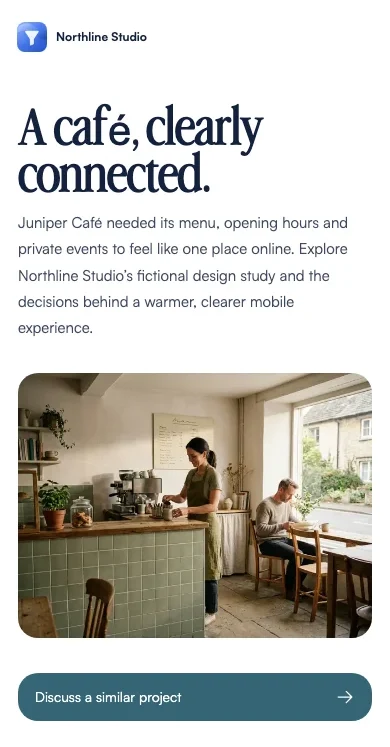
In the fictional Juniper Café brief, menu, location and opening hours support a visitor deciding where to go.
Apply the same question to your project: what must someone find before deciding?
Try this in the live demo →Showing the café on mobile
Review the mobile visit first.
The café example puts practical information into the path of someone browsing on a phone.
Try your own page at a narrow width and check the first useful action.
Try this in the live demo →Turning event interest into enquiries
Give event enquiries their own route.
A group organiser needs different information from someone looking for breakfast. A separate enquiry can gather the occasion and requirements.
Show the appropriate questions before asking for a detailed brief.
Try this in the live demo →Launch this campaign, step by step
- Replace the fictional brand and review the offer
- A permitted real project and evidence, or clear fictional-demo labelling
- Test every answer path and the default result
- Submit a test request and verify its contact record
- Connect and test the intended follow-up; confirm downstream outcomes separately
Message drafts are included for acknowledgement, useful preparation and a manual check-in. Review their copy and connect the appropriate sending channel before using them. These examples do not send messages.
Make it fit your business
Replace Northline Studio with your own identity, offer and imagery. Edit the question labels and destinations, choose the fields you actually need, and review every page before sharing.
Connect your real booking destination and confirm what happens before a time is reserved. The demo uses illustrative AI-generated photography. Replace it with your own product, people or project material before presenting it as evidence.