
Quote request funnel template
Joinery and other project businesses that need scope and context before they can prepare an estimate.
Example brand: Oak & Line. Demo answers are not sent or saved.
How this funnel works
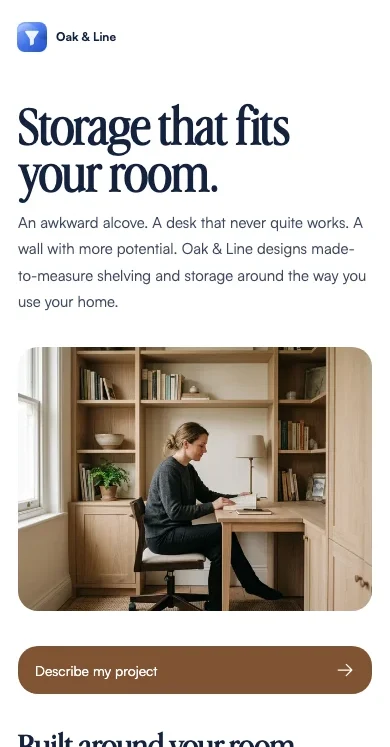
Use room photographs to establish the space, then collect the project stage and a description of what needs to fit.
- Start
- Your room
- Your project
- Your details
- A home office · next step Confirmation
A playbook for this campaign
Joinery project enquiries. A practical brief for the room review.
When to use it
Campaign visitors who need to understand the specific offer before choosing a next step.
After the request
Review measurements and discuss a written scope.
Measure the next outcome
Track completed requests and the downstream outcome separately: scope reviewed. The demo records neither. A calendar or checkout click does not confirm the later action.
Prepare before launch
Service area, scope review process and quotation terms.
Different answers. Relevant next steps.
A home office
Plan around a working day.
For a home office, note the equipment, storage and clear desk space you need. Those details matter as much as the room dimensions.
Gather approximate measurements and photographs before the scope discussion.
Try this in the live demo →A living room
Start with what the room needs to hold.
For living-room joinery, list the books, equipment or objects that need a place, along with anything that must remain accessible.
Photograph sockets, radiators and any awkward corners.
Try this in the live demo →Another space
Describe the awkward part of the space.
A simple sketch and photographs can explain a space better than choosing a product before measurements are reviewed.
A quote follows a scope review; this form does not price the work.
Try this in the live demo →Launch this campaign, step by step
- Replace the fictional brand and review the offer
- Service area, scope review process and quotation terms
- Test every answer path and the default result
- Submit a test request and verify its contact record
- Connect and test the intended follow-up; confirm downstream outcomes separately
Message drafts are included for acknowledgement, useful preparation and a manual check-in. Review their copy and connect the appropriate sending channel before using them. These examples do not send messages.
Make it fit your business
Replace Oak & Line with your own identity, offer and imagery. Edit the question labels and destinations, choose the fields you actually need, and review every page before sharing.
Connect your real booking destination and confirm what happens before a time is reserved. The demo uses illustrative AI-generated photography. Replace it with your own product, people or project material before presenting it as evidence.